Six steps. One straight line from your camera to a completed sale.
Every step below only works because the one before it does. This is the whole product, in order — and it doesn't stop at the payment. A sale isn't done until the product's actually in the customer's hands.
However you already shoot
Card and card reader. WiFi transfer. Lightroom, Darkroom, Capture One — whatever gets your images off the camera and into a folder on the Windows PC or Mac you already use. EventSnap doesn't ask you to change how you shoot.

In front of your customer, quickly
EventSnap's hot folder picks up every new photo and gets it in front of your customer quickly — while they're still there, still buzzing from the moment, phone already in hand.
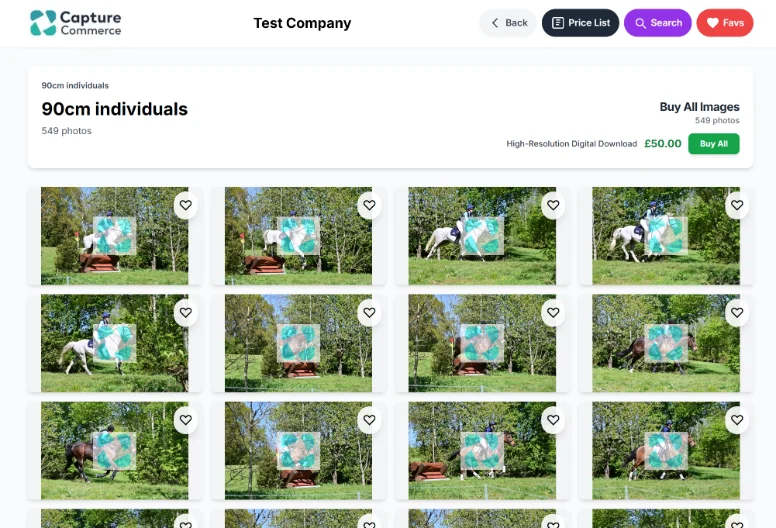
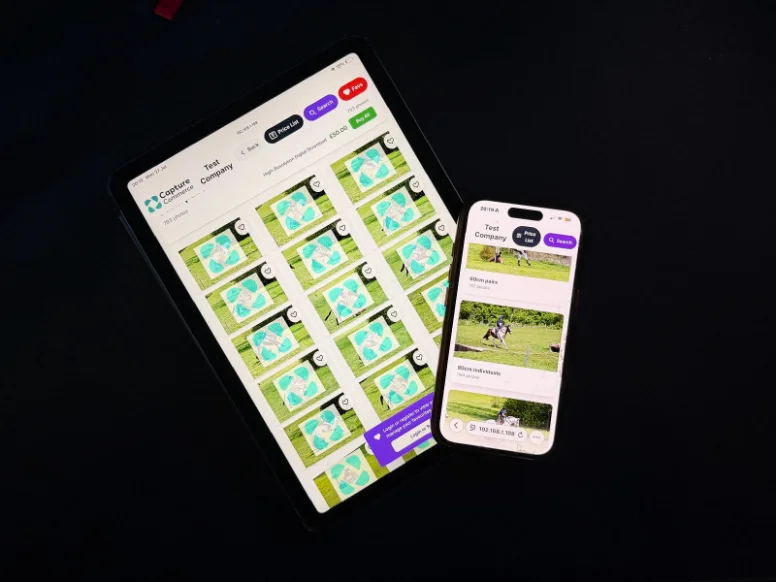
Easy to find, easy to choose, on whatever's in their hand
Search by name or class. Favourite as they go. Every device connected to the event — a customer's own phone, a tog-owned tablet, even a legacy touchscreen station — can be browsing and choosing at the same time. No queue. No waiting for a shared kiosk to free up.
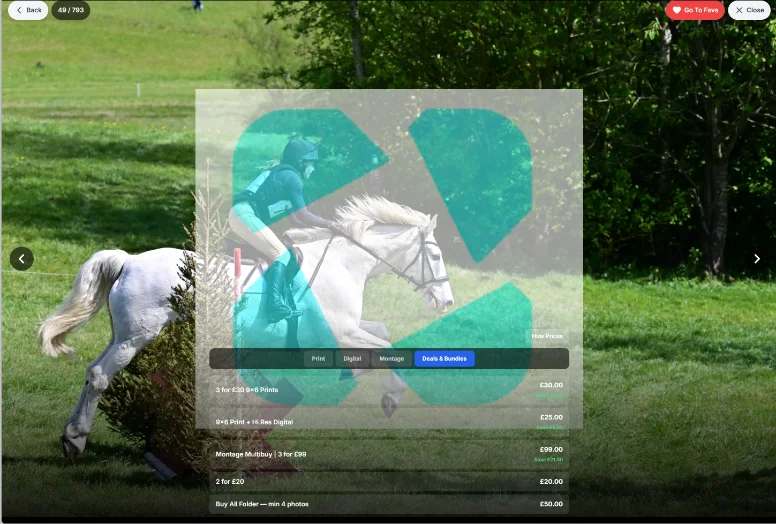
Priced the way this customer wants to buy
Some customers want to pick exactly three photos from a hundred. Others would rather buy all hundred and be done — that's the easier decision, and it's just as valid. EventSnap's Smart Cart, bundles, and Buy All pricing bend to whichever one is in front of you, automatically, with no mental arithmetic for anyone.
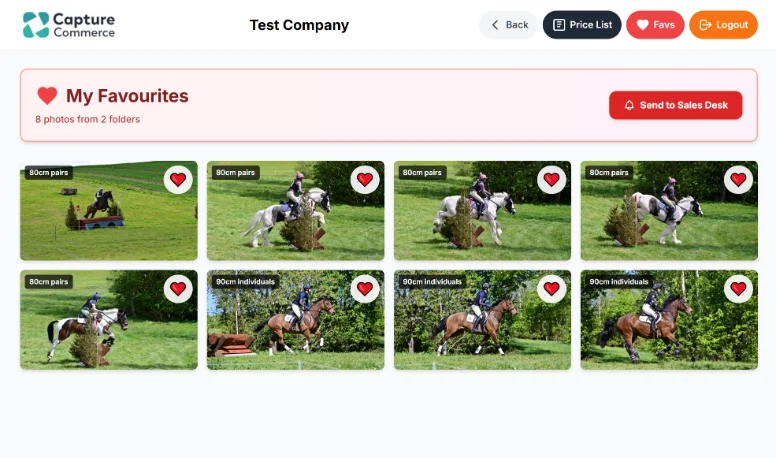
Two ways to close, both ending in a sale
Browse & Buy for the customer who wants to pay there and then, on their own device. Browse & Favourite for the customer who'd rather shortlist and let you close it at the desk. Same event, either journey — both built to close the sale.
A sale isn't finished until the product's in their hands
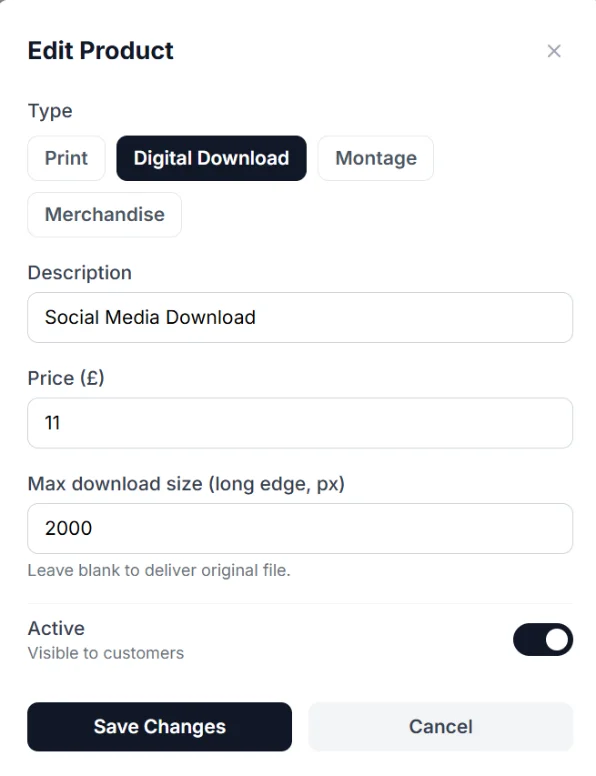
The moment an order's marked paid, EventSnap builds the folder for it and drops every purchased image straight in — ready for you to open and go, no hunting through a full event folder to find what one customer bought. For prints, that's a folder ready for your printer. For digitals, it's ready to hand straight over. Set a size once against a product — say, a social-media digital capped at 3000px — and every matching image in that folder comes out already resized to it. No opening each one in third-party software to resize by hand. Grab the folder, drop it into whatever transfer method you use — email, a file-transfer link, a USB stick — and the sale is actually complete.
Ready to see it at your next event?
Pick a tier and start selling before your customers walk out the door.
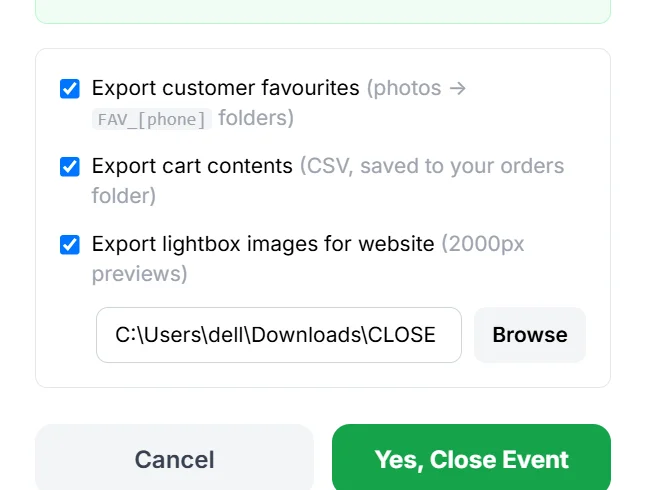
Close the event, and EventSnap hands you a ready-made website re-launch.
Shot to Sale is only half the promise — the other half is to Site. Some customers won't buy on the day — they'll mean to, get busy, and forget. EventSnap gives you everything you need to catch that sale later, on your own website, without extra work at the event itself.
Every event is a different shape. EventSnap doesn't force one on you.
A multi-day event where a customer has time to consider dozens of products asks for a completely different buying decision than a fast-turnaround event where someone just needs a quick yes or no. EventSnap's pricing and journeys flex to match, event by event, without you rebuilding anything.
More eyes on your photos is the point. 3Secure™ is what makes that safe.
Opening your gallery to every device at an event means more customers looking, in parallel, at the same time — and more of them buying. The honest trade-off is that wider access means more risk of a screenshot. 3Secure™ is EventSnap's answer: your watermark on every image, a clear screenshot warning, and one tap to lock any customer account instantly, from your own panel.
It's not a locked gallery. It's a defended open door.
Watermark Protection
Your watermark sits on every image shown, automatically.
Screenshot Warning
A clear warning appears the moment a screenshot's taken.
Instant Account Lock
Lock any customer account in one tap, from your own panel.
Branded Protection
3Secure™ carries your brand, not a generic warning screen.
Not a pilot. Not a demo. Real events, real volume.
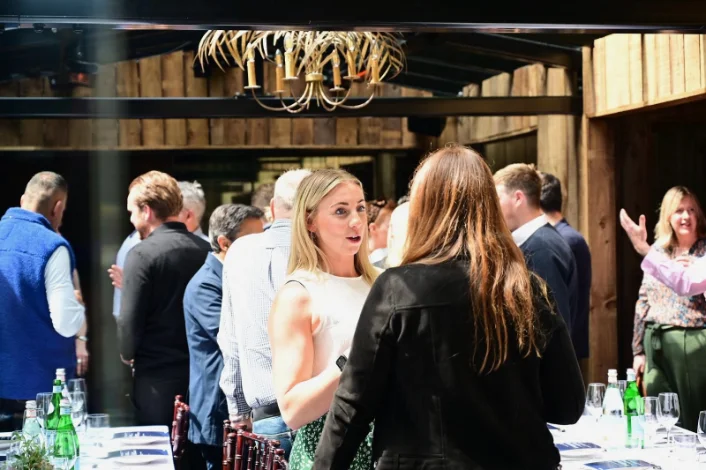
EventSnap has processed 30,000+ images across double-digit live events, run by four different photography businesses — not one careful test, but a pattern that holds across different events, different months, different operators.
11,500 images. Three days. One bank holiday weekend.
"This past weekend, I put EventSnap through its paces for the first time — and it didn't disappoint. We were covering a demanding three-day show jumping event that generated over 11,500 images, so it was a real test. The feedback from customers was immediately positive — quick, intuitive, and noticeably faster than our previous platform. What truly stood out was the responsiveness of the development team — each evening I shared my observations, and within a few hours, updates were already in place. Considering it's a UK-developed product, over a bank holiday weekend, that was impressive. Based on this experience, we won't be going back to our previous platform for future events."
We do all this well. But if you need help, we've got you.
Support shouldn't force you into one channel any more than the buying journey should force your customer into one. Get help however suits the moment.
Self-Serve Knowledge Base
Search the help centre for a straight answer, any time, without waiting on anyone.
WhatsApp Support
Real answers from real people — on the days that matter, including weekends.
Email Support
For anything that needs more detail than a quick message.
AI-Assisted Support
Fast, automatic answers to common questions are on the way — built from everything the team already knows.
Covering an event yourself isn't always possible. Your licence can.
If you take on a job you can't shoot yourself, you can share your EventSnap licence with the photographer covering it for you — for that event, for your business. Capture Commerce Software handles all software distribution directly, through the download page; your licence is for your business's use, not for passing the software itself around.
Running your own event photography business? Get your own EventSnap — message us on WhatsApp.
Pay based on daily photo volume. Run unlimited events and stations.
Browse & Favourite — customers shortlist, you close the sale.
Everything in Starter, plus full self-serve checkout.
Everything in Core, plus priority support.
Everything in Pro, plus:
Every plan includes EventSnap for Windows and Mac (Apple silicon). Your daily photo limit resets each event day — running multiple events the same day shares one limit. Change tiers anytime — no new contract.
Common questions
What computer do I need?
+
A Windows PC, or a Mac with Apple silicon (M1 or later). Intel Macs aren't supported.
Can I sell event photos without internet?
+
No. EventSnap runs on your own computer and your customers connect to it over local WiFi. You only need internet now and then to check your licence.
Do my customers need to download an app?
+
No. They browse on their own phone or tablet in the web browser, with nothing to install.
Do I need Wi-Fi at the venue?
+
No — EventSnap runs on your own router or travel hotspot. You don’t need the venue’s Wi-Fi or any internet connection during the event.
Can I change plans later?
+
Yes. You can change tiers anytime, with no new contract.